
Features
One launcher with a window for each part of your day. Screens on this page show sample data on the open Fold screen.
Home
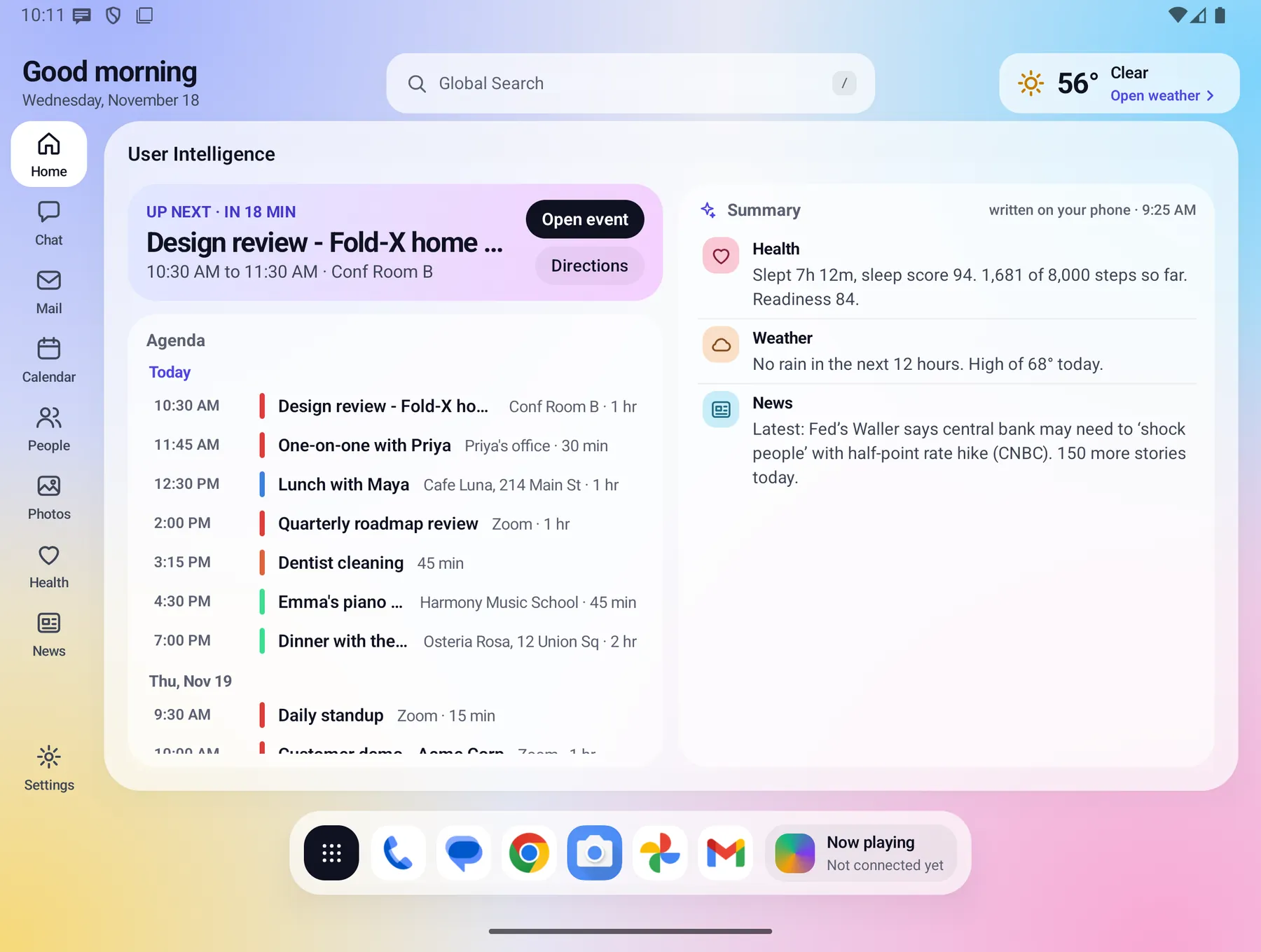
Everything you need today, the moment you unfold. Home, called User Intelligence, shows a greeting, your next event with Open event and Directions, an agenda grouped by day, and a short summary of your health, weather and news.
- The summary is written on your phone from your own data, by fixed rules, with no AI call.
- An optional Nicer wording switch lets the on-device AI model rephrase it. It is off until you turn it on.
- The weather chip opens a full Weather page: now, next 12 hours, 10 days, radar, alerts and air quality.
People
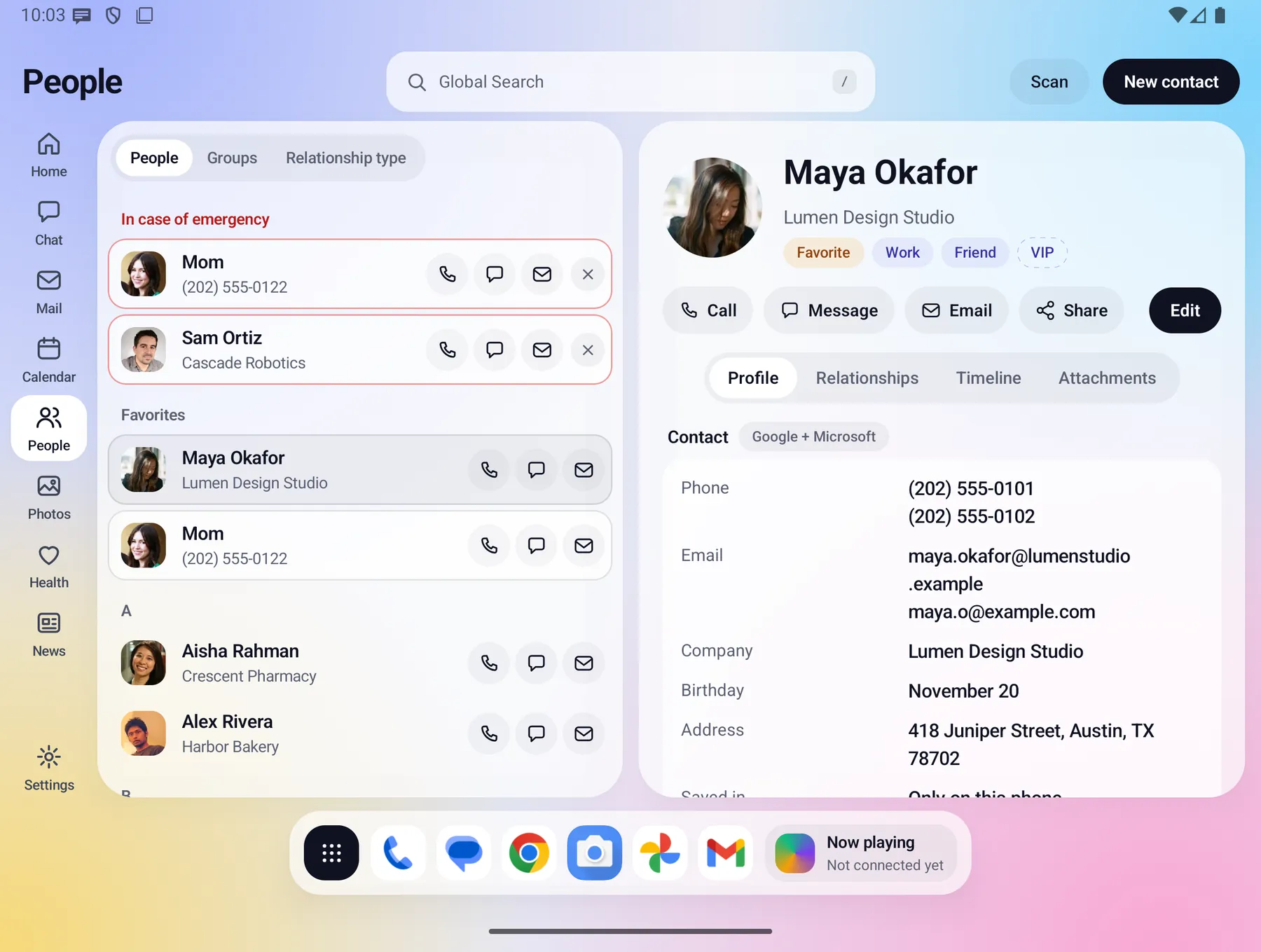
Contacts that remember the whole story. Favorites and emergency contacts sit at the top. A contact profile shows labels, relationships, a timeline, and the photos and files you attach.
- Browse A to Z, by group, or by relationship type.
- Call, message, email, share or edit from the profile.
- Merge duplicates, add reminders, and import contacts.
- A Scan button reads paper such as a business card on your phone and shows a review card. Nothing is saved until you approve it.
- Private contacts stay hidden until you unlock them.
Relationships
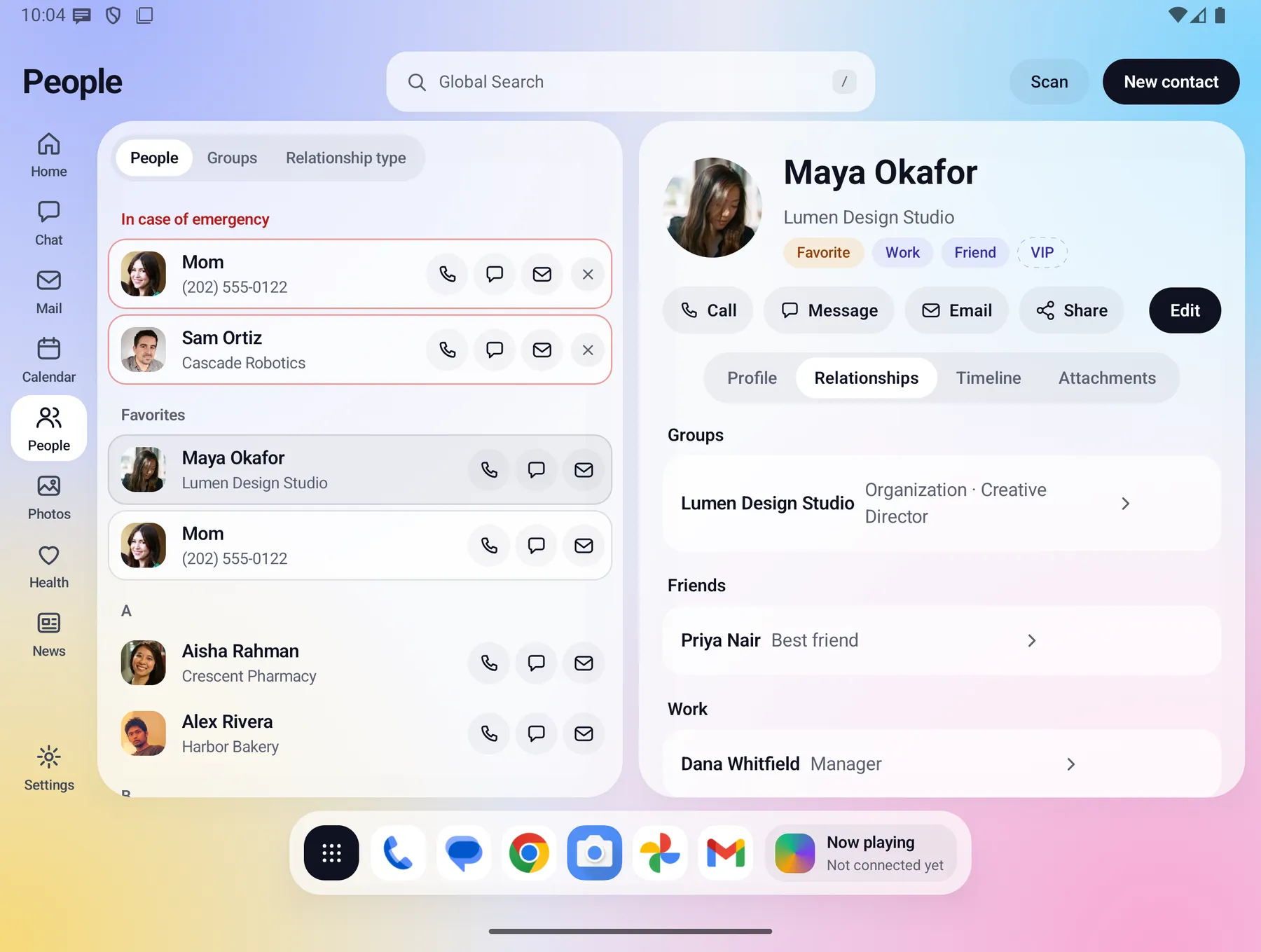
Groups, households, colleagues and friends, kept next to each contact so you can see how everyone connects.
Timeline
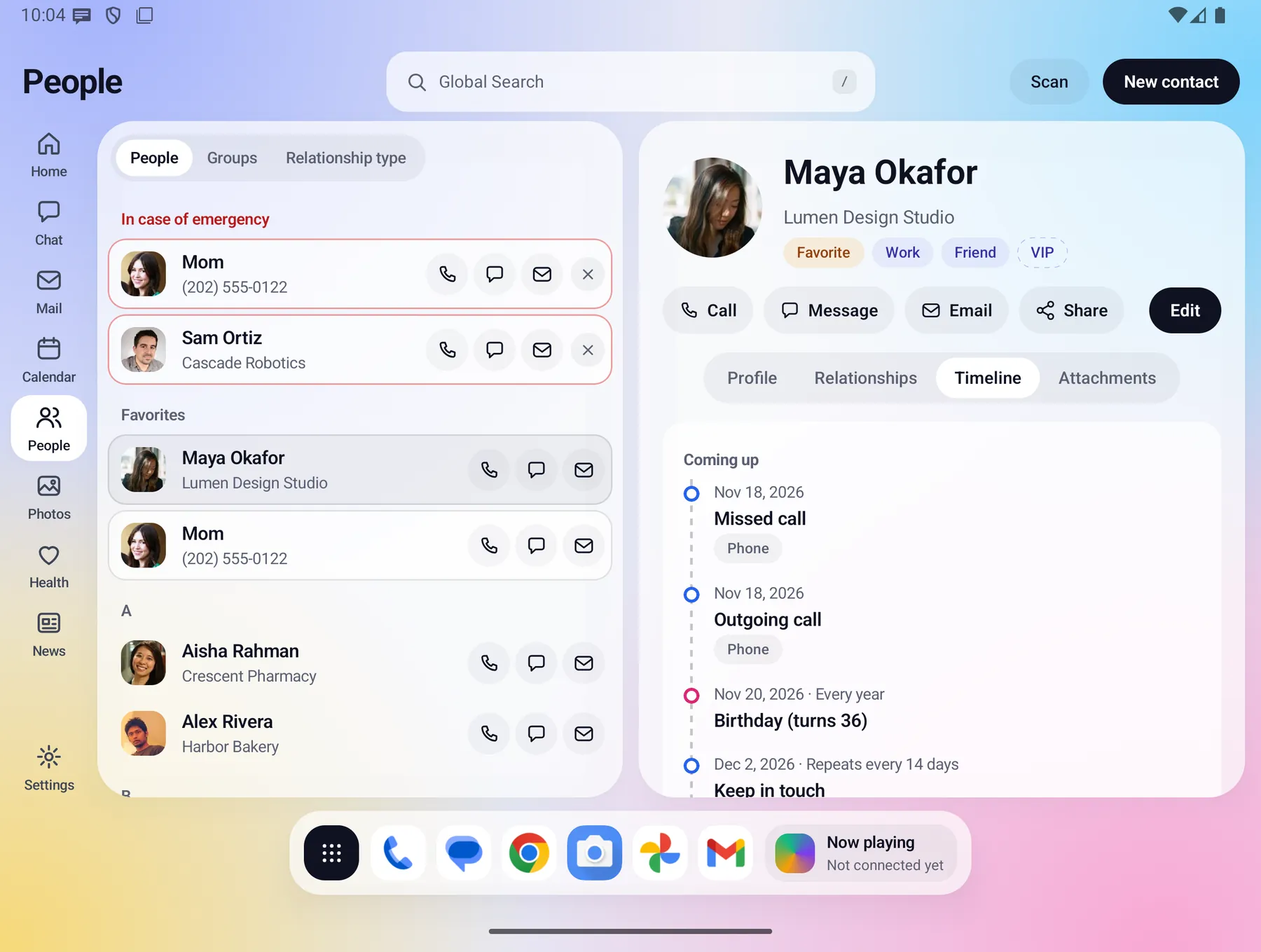
A timeline for every person: dates, birthdays and keep-in-touch reminders on each person's page.
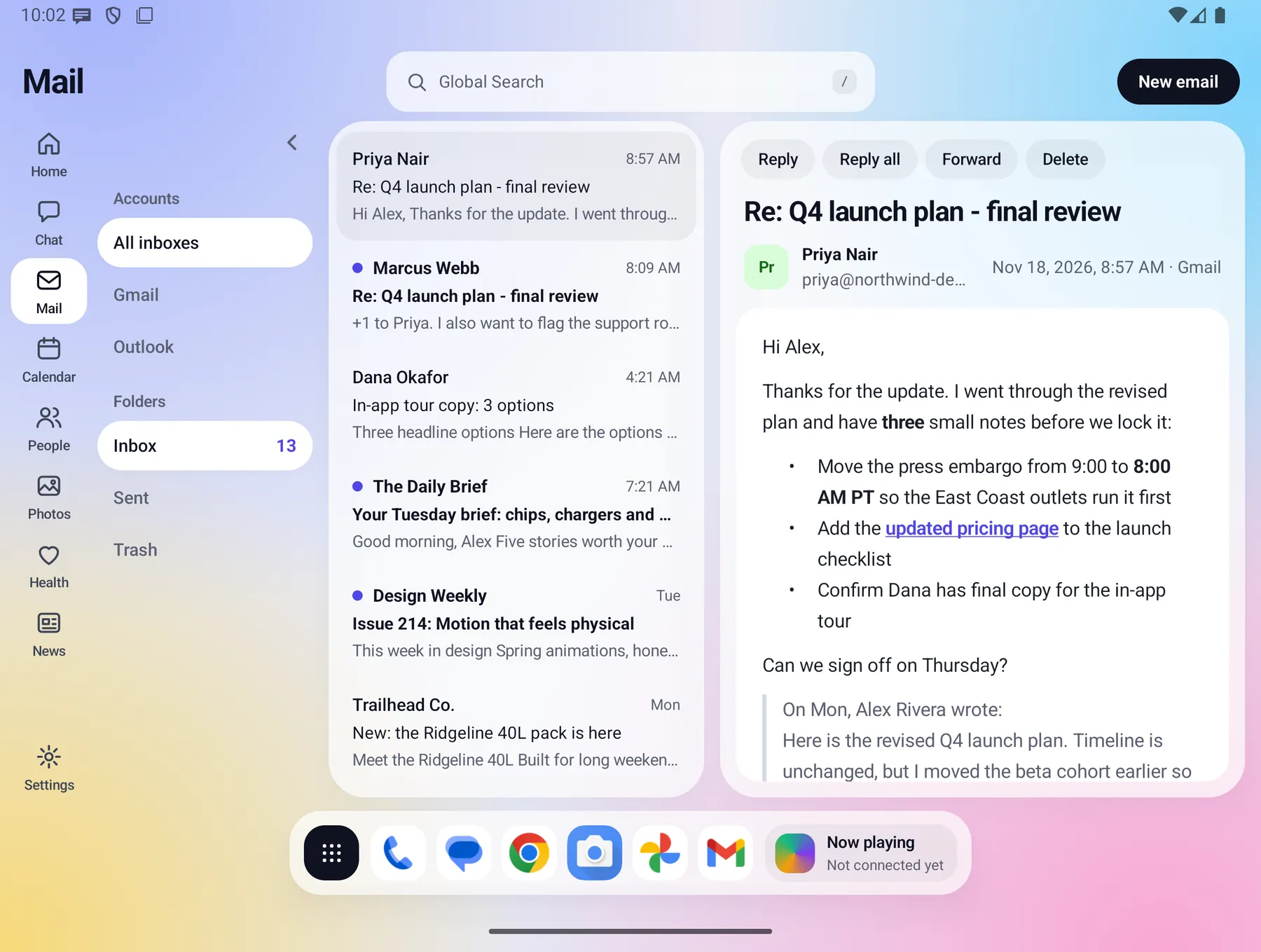
Real mail, readable on a big screen. The message list and the reader sit side by side, and full HTML messages display as sent.
- Reply, reply all, forward or delete in place, with your own signature.
- Connects to your Gmail account through Google. Mail is shown and kept on your phone.
- Needs a Fold-X plan and a connected account. See Data & permissions for exactly what is sent where.
Calendar
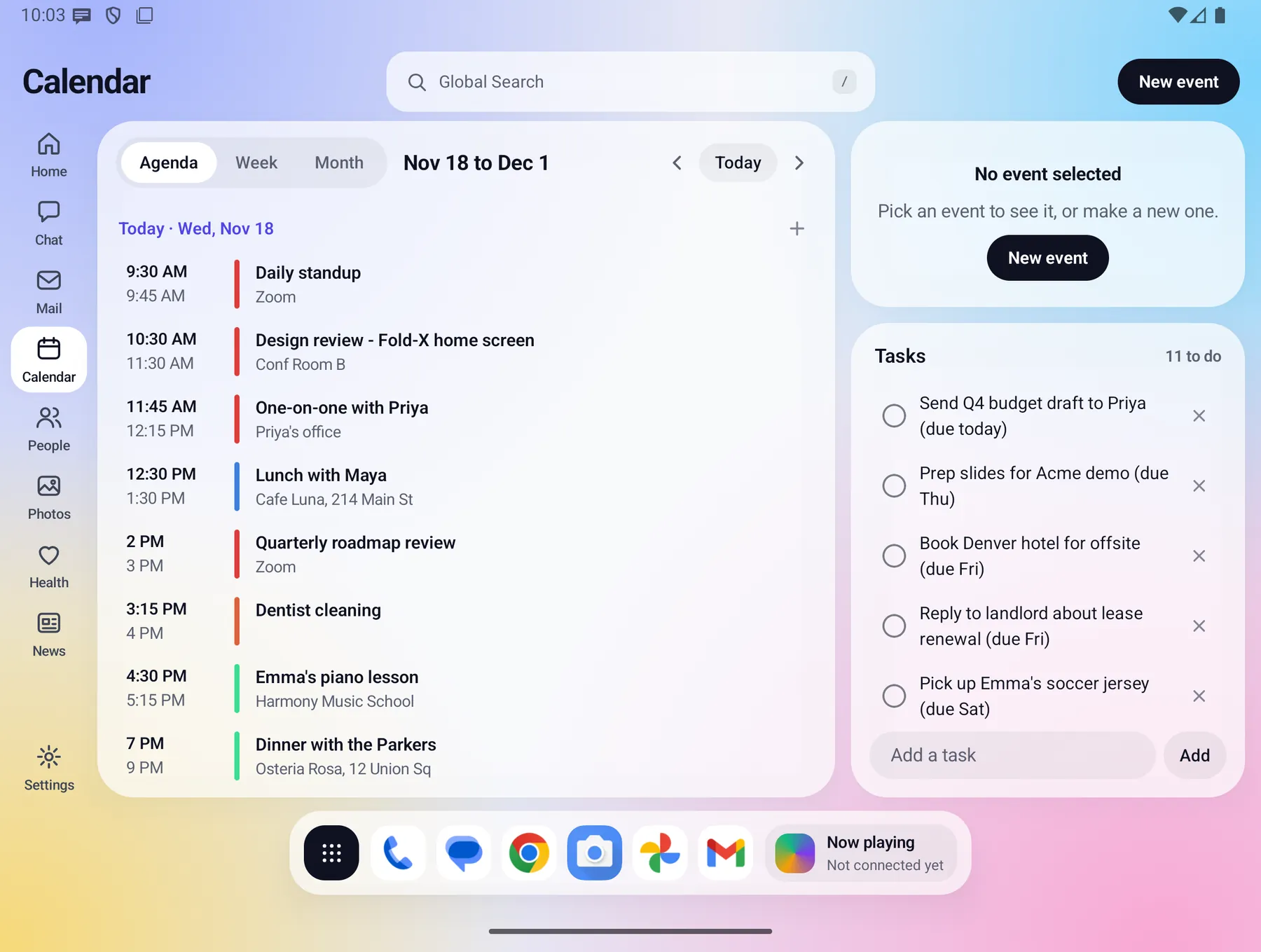
Your week and your tasks, together. Agenda, Week and Month views read the calendars already on your phone, with a Tasks box beside them.
- Tasks are saved on the phone and sync with Google Tasks when you connect Google.
- Open any event for details and directions from Home.
Chat
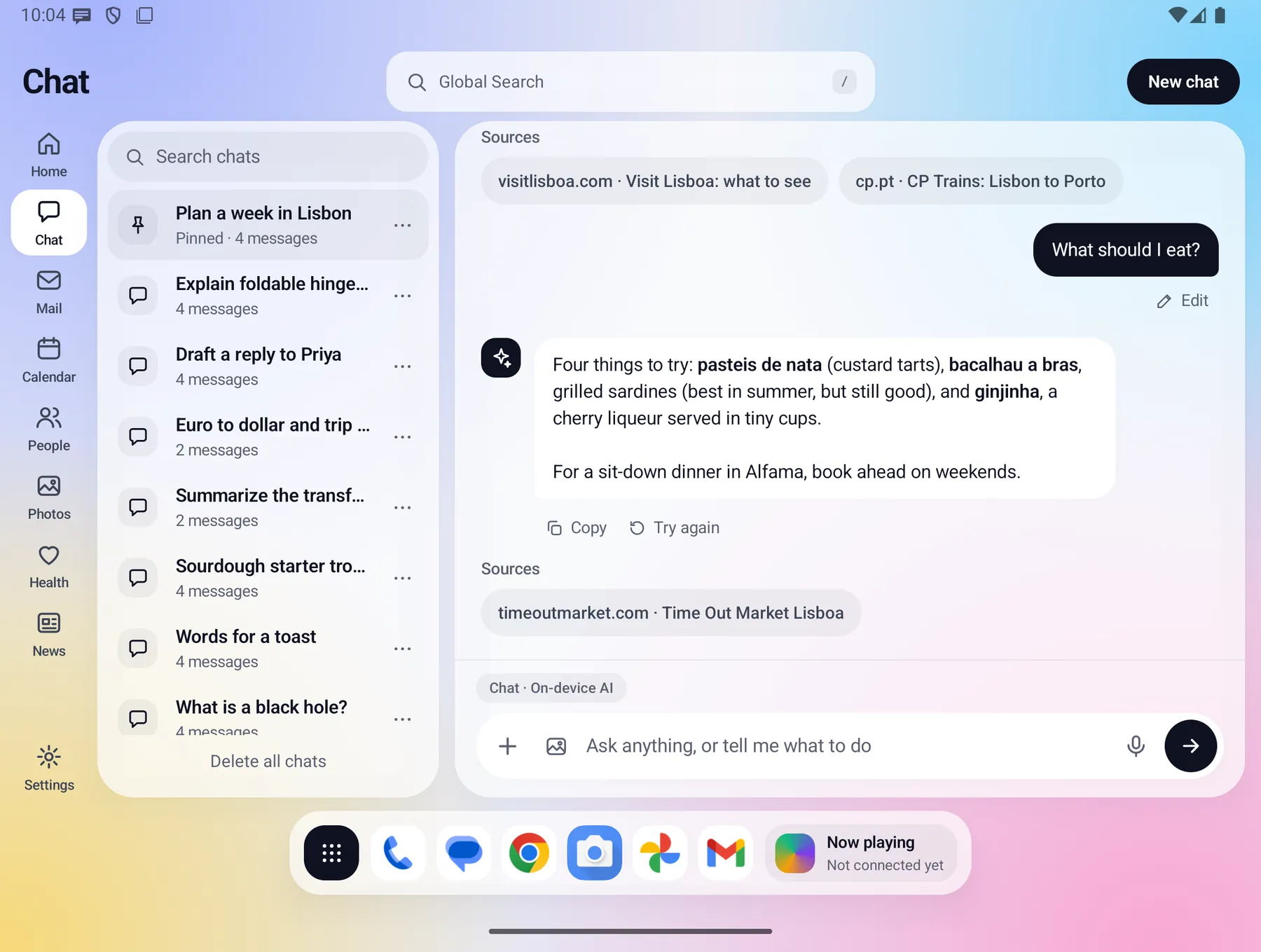
Ask anything and see where the answer came from. Chat is answered by an AI model that runs on your phone, so your messages are not sent to an AI service.
- Chats are saved, searchable and pinnable, and they stay on your phone.
- Stop an answer, try again, edit a question or copy a reply.
- Attach photos and text or CSV files.
- Chat can read your calendar, tasks, contacts, health and weather on the phone, and asks for approval before it adds a task, creates an event or drafts mail.
- Web search and image creation go through the Fold-X server, and Chat shows you the exact query before web search sends it. A Web on switch controls it.
The on-device model needs a phone with enough memory. Phones that cannot run it say so.
Health
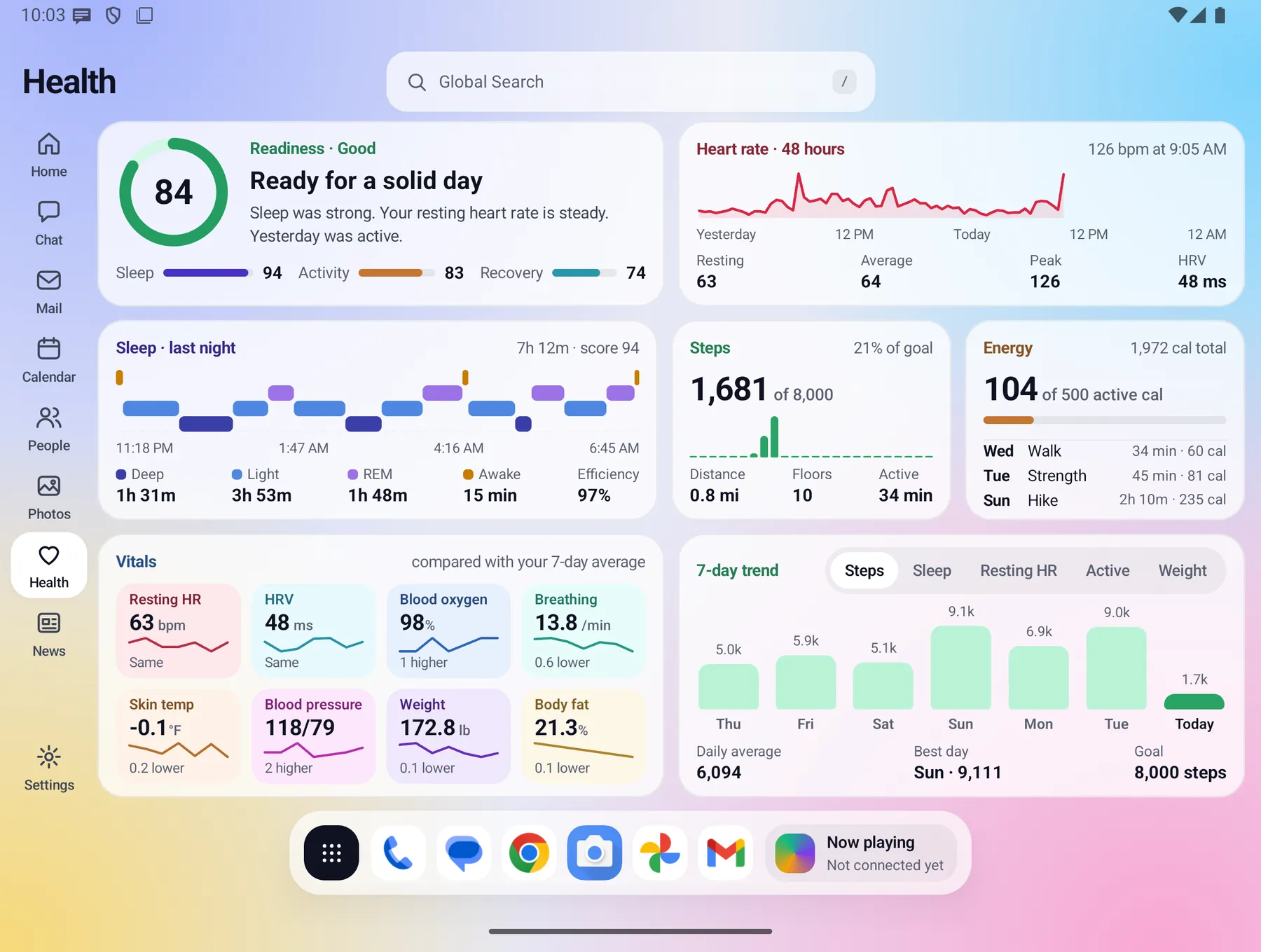
Your health numbers, on your phone only. Readiness, sleep stages, steps, heart rate, blood pressure and more, read from Health Connect, and from Samsung Health on Galaxy phones.
- Scores are worked out on the phone.
- Facts only. Fold-X does not give medical advice and is not a medical device.
- Health readings leave the phone only if you switch on the optional Health backup.
News
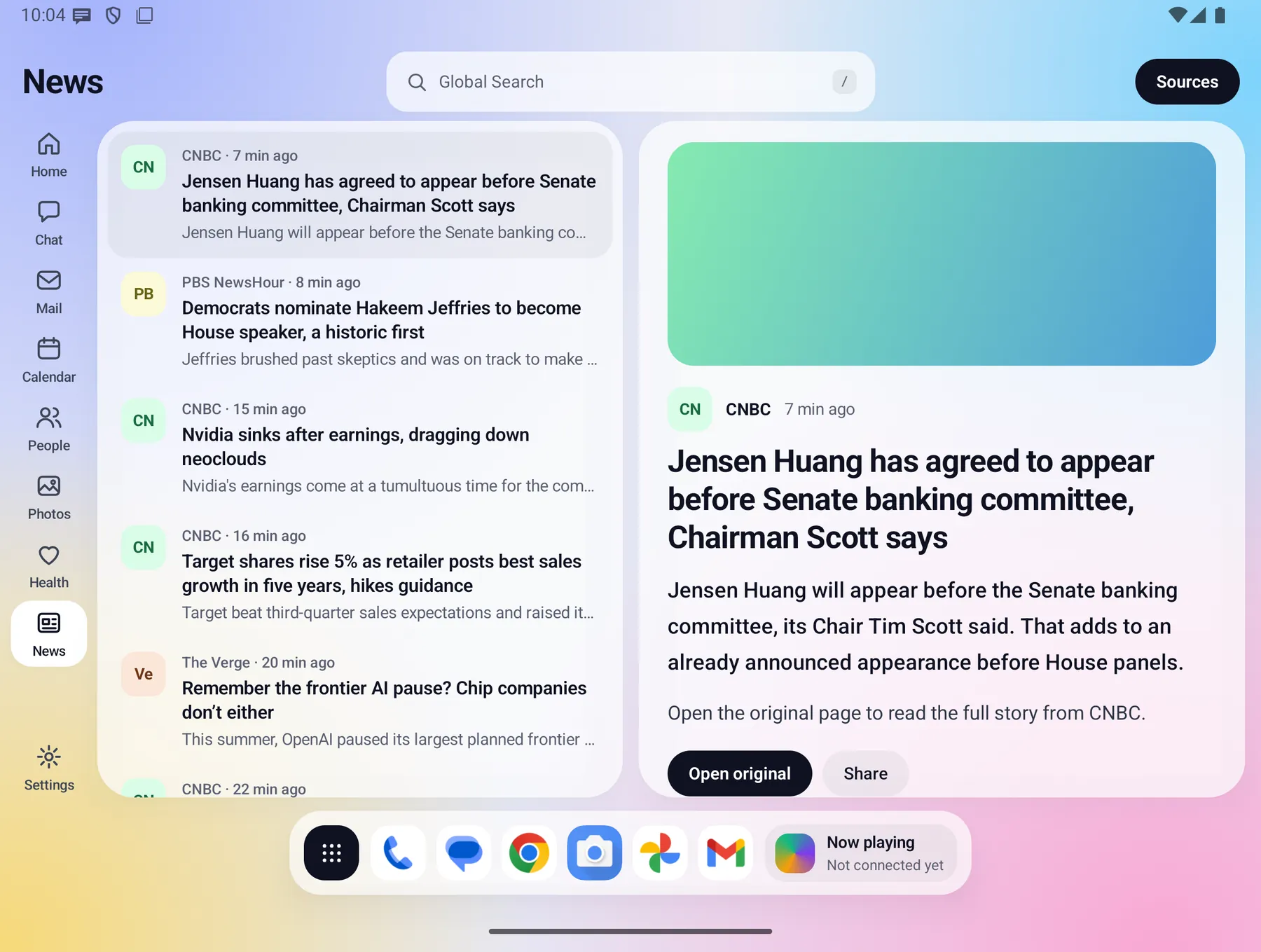
The news you chose, nothing else. You pick the RSS sources from a catalog or add your own link. A list and a reader sit side by side, with Open original, Share and Save.
Photos & Videos
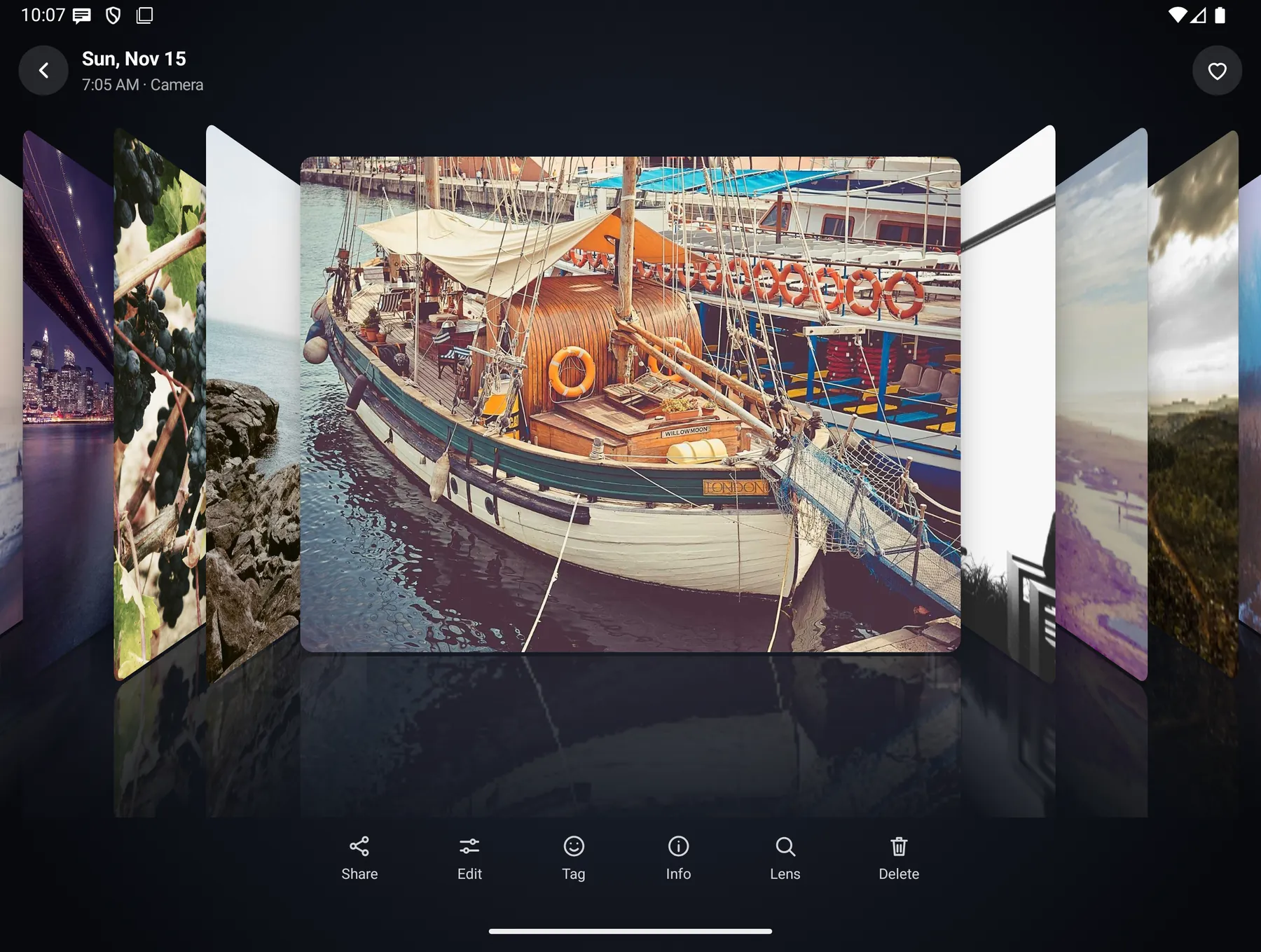
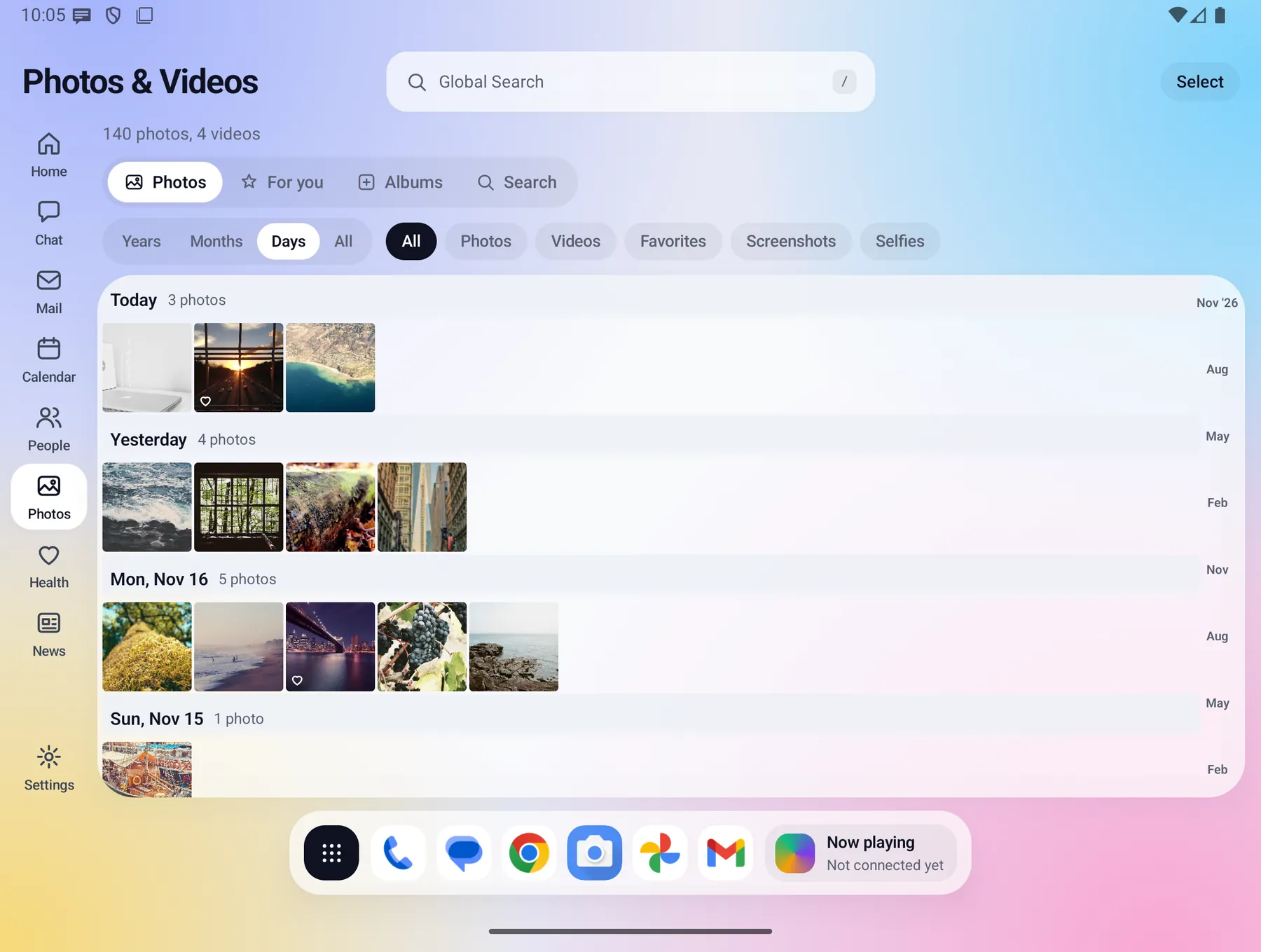
Cover flow: tap a photo and the library fans out in 3D. Swipe, pinch to zoom, then share, edit, tag a person, see details or search the picture.
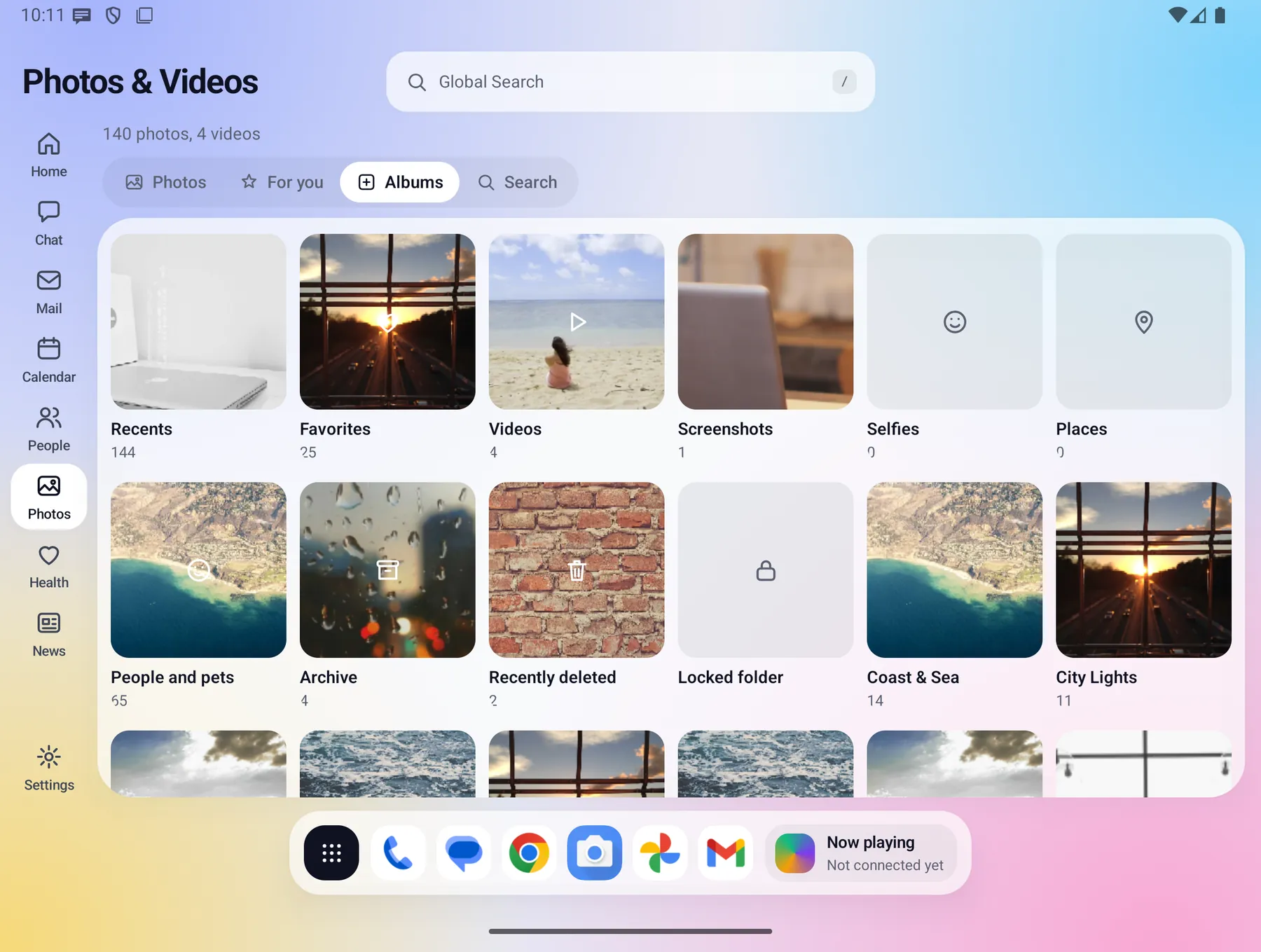
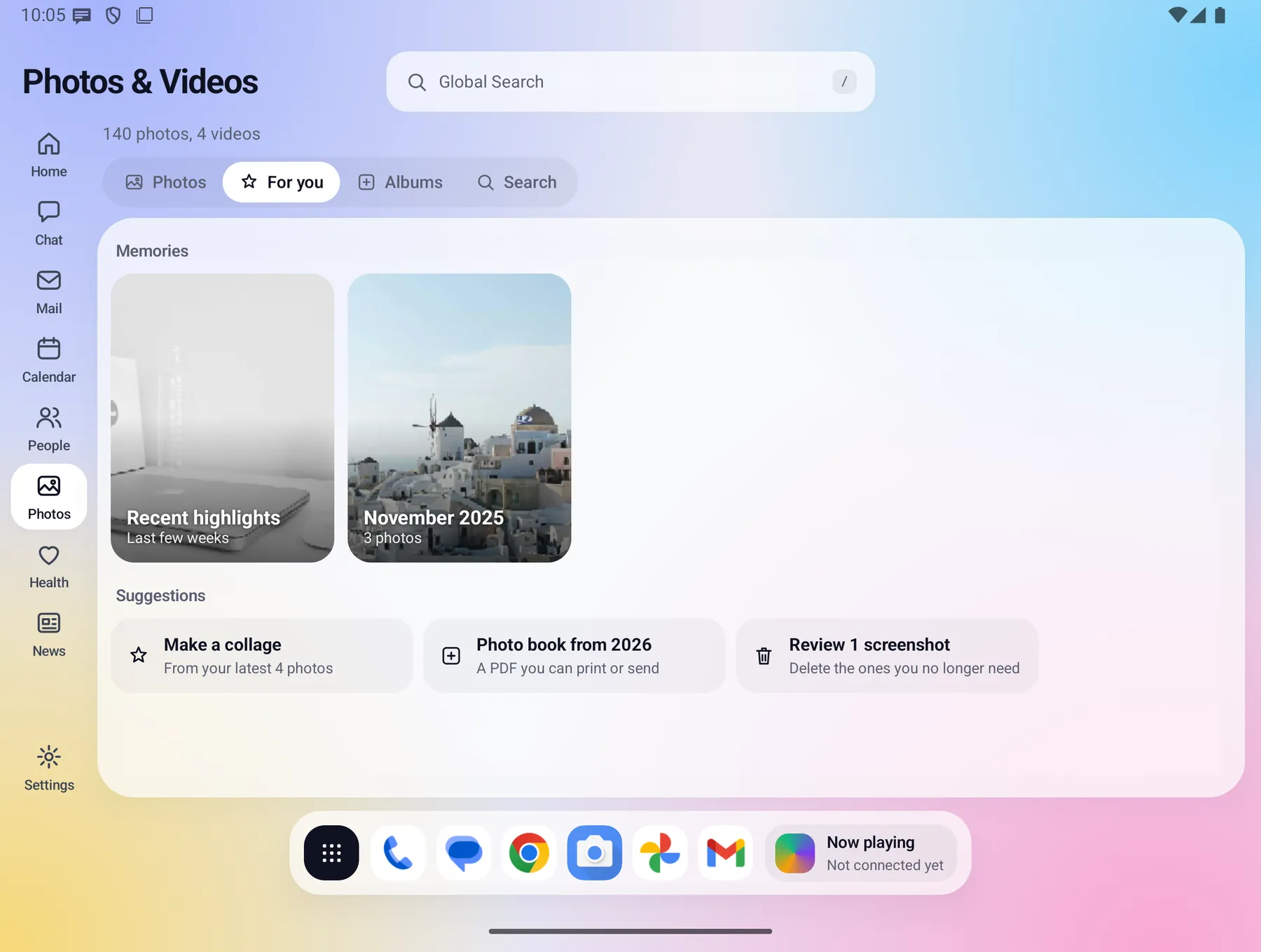
- For you suggests memories. Albums, a grid by day, month or year, and photos by person.
- Search by what is in a photo. Recognition runs on your phone, and nothing is uploaded for it.
- Recently deleted and a Locked folder.
And around the windows
Global Search
One search page with a card for each window: Mail, Calendar, People, Apps, Files and phone settings. It also does quick sums.
Dock and Apps
A floating dock with your pinned apps. The app drawer sorts your apps into categories automatically, and your own moves always win.
Open and closed
Open, the small-computer layout with a window for each part. Closed, a calm phone home where each feature opens one screen at a time.
Cloud backup & restore Optional
Daily backup to your own private space, with a switch for each kind of data, and a staged restore that only brings back what your phone is missing.
Accessibility
Text size, larger touch targets, high contrast and reduced motion.
Guided setup
A short tour and a "Finish setting up" checklist help you make Fold-X your home screen.
Not available yet: a dark app theme, free-form Home boards and widgets, and Samsung DeX or Pixel desktop windows (in development).